
Excel for Microsoft 365 Functions & Formulas Quick Reference
Quantity Discount
We offer quantity discounts at 50, 100, and 500+ .
Please email: orders@beezix.com
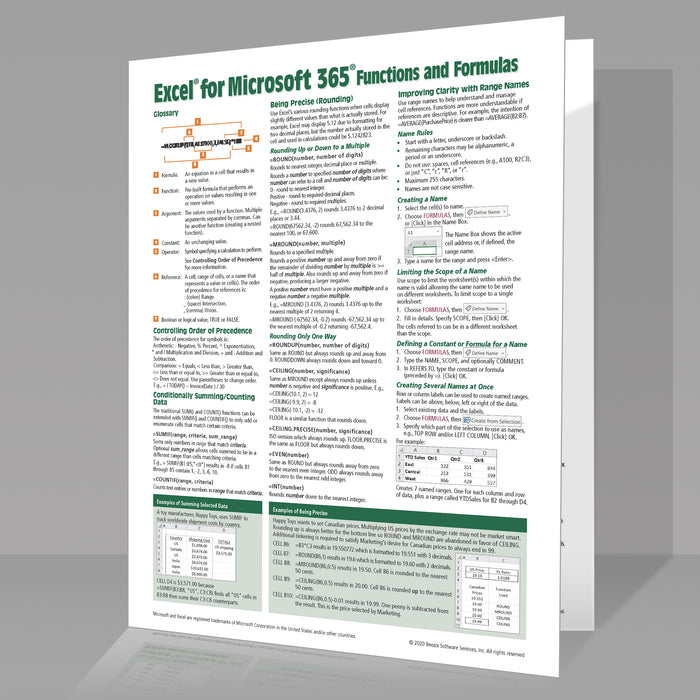
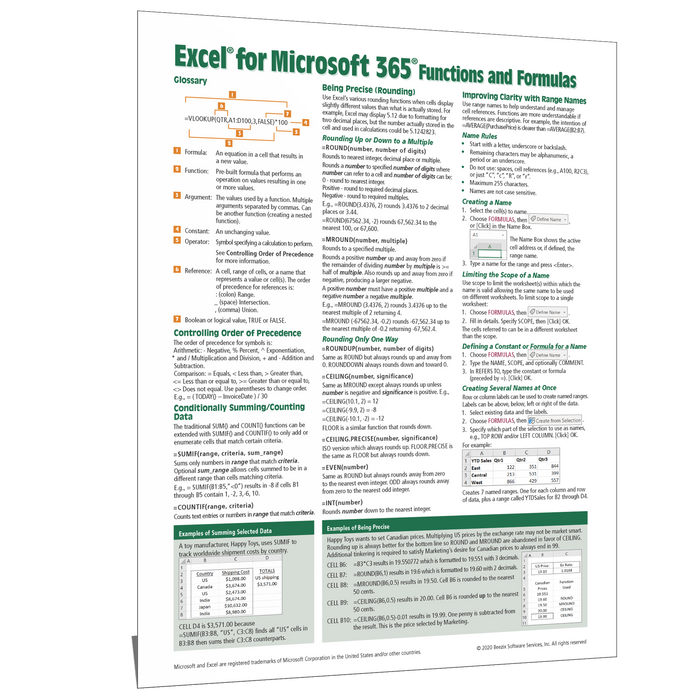
Master Excel formulas and functions with this comprehensive, example-rich 4-page quick reference guide for Microsoft Excel for Microsoft 365 (Windows version). Designed for intermediate to advanced users, this laminated guide helps you build more powerful spreadsheets, troubleshoot formulas, and confidently work with Excel's most commonly used functions.
Clear explanations, practical examples, and step-by-step instructions make it easy to understand when and how to use Excel's formula and function features.
Topics include:
- Controlling order of precedence
- Conditional calculations with SUMIF, COUNTIF, and related functions
- Rounding and precision using ROUND, MROUND, ROUNDUP, CEILING, CEILING.PRECISE, EVEN, and INT
- Improving clarity with named ranges, including creating, managing, limiting scope, constants, formulas, and INDIRECT
- New Microsoft 365 functions including CONCAT, TEXTJOIN, IFS, MAXIFS, MINIFS, SWITCH, and XLOOKUP
- Working with text using TEXT, LEFT, RIGHT, MID, LEN, FIND, VALUE, TRIM, and SUBSTITUTE
- Logical functions including IF, AND, OR, and NOT
- Lookup techniques using VLOOKUP, HLOOKUP, INDEX, MATCH, and XLOOKUP
- Error handling with ISNA and ISERROR
- Single-cell and dynamic array formulas
- Date and time functions including DATE, YEAR, MONTH, DAY, TODAY, WEEKDAY, NETWORKDAYS, and EDATE
- Using formulas for data validation
Troubleshooting features:
- Understanding Excel error messages
- Automatic error checking
- Using the Error Checker
- Showing and hiding formulas
- Evaluating nested formulas
- Selecting related cells
- Displaying formula relationships
- Removing relationship arrows
Practical examples include:
- Conditional summing and counting
- Rounding and precision techniques
- Combining text and numbers
- Table lookups
- Lookup formulas with error handling
- Working with dates and times
- Single-cell and multi-cell array formulas
Whether you're creating business reports, analyzing data, or building sophisticated spreadsheets, this quick reference guide puts Excel's most valuable formulas and functions at your fingertips.